
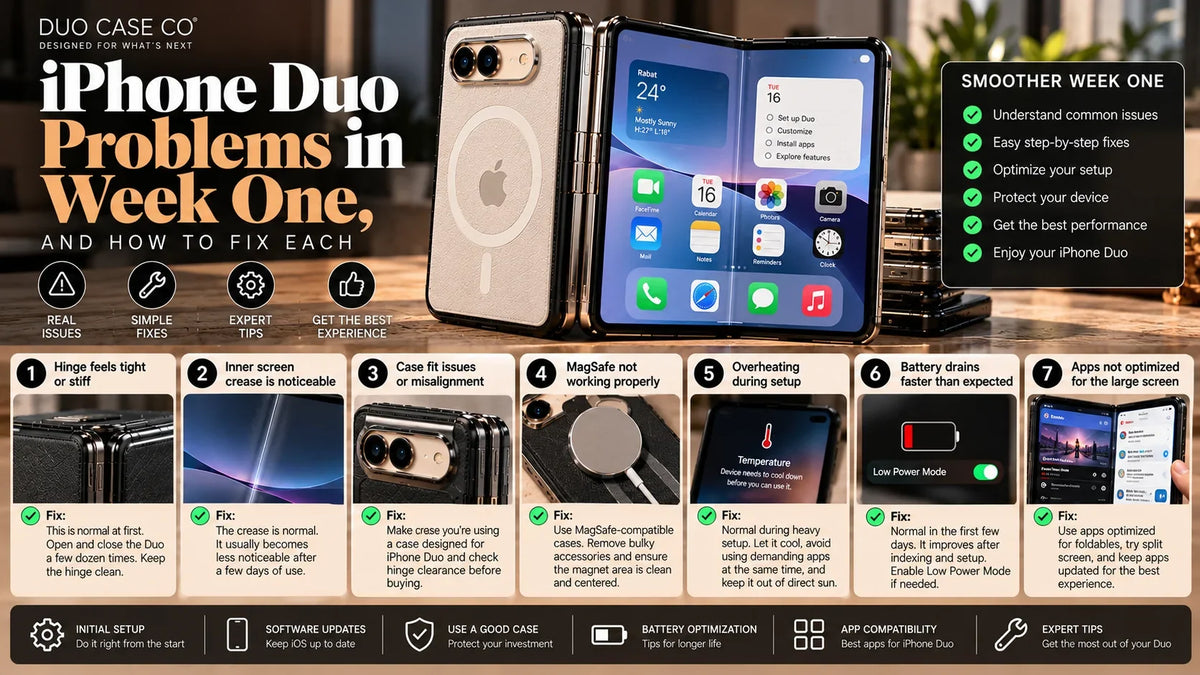
The iPhone Duo is Apple’s first foldable, and reviewers agree on a short list of first-version rough edges: apps that don’t fill the big screen yet, Split View that only works properly in landscape, a dock stuck on the right, Touch ID instead of Face ID, and a phone that gets warm on long calls.
Most are fixable today, some are waiting on Apple or app makers, and a few are simply how the Duo works. Here’s each one, what’s causing it, and what to do.
- Most common: apps with black bars on the inner screen. Update your apps; Duo layouts are arriving app by app.
- Fix today: Touch ID misses, eSIM transfer, the slippery grip.
- Coming from Apple: left-handed reachability, and Apple Pencil support (USB-C model only).
- Normal: a faint crease, some warmth, and weaker battery in the first 2–3 days.
- See Apple: bubbles or lifting on the inner screen, coloured lines, a gritty or grinding hinge.
What’s wrong with your iPhone Duo?
Problem finder
Tap what you’re seeing.
All 14 iPhone Duo problems at a glance
| Problem | Status | First thing to try |
|---|---|---|
| Apps show black bars on the inner screen | Apple / app fix coming | Update all apps in the App Store: Duo layouts are arriving app by app. |
| Split View collapses when you hold it upright | Known limitation | Use Split View in landscape: reviewers found it smooth that way. |
| Dock and controls are stuck on the right (left-handers) | Apple / app fix coming | Install iOS updates as they arrive: Settings > General > Software Update. |
| Touch ID feels slow or misses | Fix it now | Register more than one finger: you hold the Duo differently folded and open. |
| The back gets warm during FaceTime or the camera | Normal | Expect more warmth in the first days while the phone finishes syncing and indexing after setup. |
| Battery drains faster than expected | Normal | Give it 2–3 days of normal use before judging battery life. |
| You can see the crease | Normal | Check whether you only see it at an angle, under a lamp or with the screen off: that’s reflection. |
| There’s a film on the inner screen. Should I peel it? | Normal | Leave it on. |
| It feels heavy and slippery, especially taking photos | Fix it now | Use a case with a textured back or a ring: a finger through a ring is the most secure grip. |
| No telephoto camera | Known limitation | Use the 2x option: Apple describes the 48MP main camera as having a built-in 2x telephoto, by cropping the sensor. |
| Typing one-handed is awkward | Known limitation | Partly fold it (laptop style) for a split thumb keyboard. |
| My Apple Pencil doesn’t work | Apple / app fix coming | Use a capacitive stylus until then: it works today. |
| My number didn’t transfer (eSIM) | Fix it now | Check Settings > Cellular for a pending “Transfer” or “Set up cellular” option. |
| A click or creak from the hinge | Check with Apple | Take the case off and check for grit at the spine and inside the case. |
Each problem, and how to fix it
1. Apps show black bars on the inner screen Apple / app fix coming
Many third-party apps haven’t been updated for the 7.6″ inner screen yet, so they run letterboxed with black bars down the sides. Reviewers named Disney+, Telegram and The Weather Channel; some games fill only about three-quarters of the screen. Apps updated for iOS 27 but not for the Duo can leave a narrower unused strip (YouTube is an example).
Fix:
- Update all apps in the App Store: Duo layouts are arriving app by app.
- Try the app in landscape: some, like YouTube, use the space better sideways.
- Use the website in Safari instead of the app until it’s updated.
- Check the developer’s release notes for “iPhone Duo” support.
Apple says Netflix, Zoom and Slack were among the first apps updated.
2. Split View collapses when you hold it upright Known limitation
In launch reviews, turning the open Duo to portrait collapsed Split View to a single app, and the standard side-by-side layout couldn’t be started upright. The pair came back when the phone was turned to landscape.
Fix:
- Use Split View in landscape: reviewers found it smooth that way.
- Save app pairs you use often, so they come back in one tap.
- For video plus another app in portrait, use the separate picture-above-app control.
3. Dock and controls are stuck on the right (left-handers) Apple / app fix coming
The dock and several controls sit on the right side of the screen and can’t be moved left, which reviewers flagged for left-handed users. Apple has said reachability features are coming later this year.
Fix:
- Install iOS updates as they arrive: Settings > General > Software Update.
- Hold the open Duo in two hands, or prop it on a stand so both thumbs reach.
A ring or kickstand helps here: ring stand cases.
4. Touch ID feels slow or misses Fix it now
The Duo uses Touch ID in the side button instead of Face ID. Reviewers called the switch the hardest adjustment and noted a small lag compared with Face ID.
Fix:
- Register more than one finger: you hold the Duo differently folded and open.
- Re-register a finger if it misses often: dry, clean finger, several angles.
- Turn on unlocking with Apple Watch if you wear one.
- With a case on, check the side-button cutout leaves the button fully exposed.
We test Touch ID through every one of our cases: see the fit test.
5. The back gets warm during FaceTime or the camera Normal
Reviewers found the Duo runs a few degrees warmer than the Galaxy Z Fold 8 in testing, with the heat spread across the body. One reviewer ended a FaceTime call because the back got very warm.
Fix:
- Expect more warmth in the first days while the phone finishes syncing and indexing after setup.
- Take it out of direct sun and off hot surfaces.
- If it’s hot while charging, take it off the charger or remove a thick case until it cools.
- Lower brightness for long video calls.
Thinner cases hold less heat: the thinnest iPhone Duo cases.
6. Battery drains faster than expected Normal
In Tom’s Guide’s browsing test the Duo lasted 13 hours 20 minutes: shorter than the iPhone 18 Pro Max (17 hours 31 minutes) but about three hours longer than the Galaxy Z Fold 8. In the first days after setup from a backup, iPhones spend extra power syncing photos and indexing, so early battery life usually looks worse than it will.
Fix:
- Give it 2–3 days of normal use before judging battery life.
- Check Settings > Battery to see which apps use the most.
- The inner screen uses more power than the outer one: use the outer screen for quick tasks.
7. You can see the crease Normal
A faint line visible at an angle or in reflections is normal. Apple’s nano-texture layer reduces it, and reviewers note it can become more noticeable over time, which is why Apple made the cover layer replaceable.
Fix:
- Check whether you only see it at an angle, under a lamp or with the screen off: that’s reflection.
- Bubbles, lifting, coloured lines or touch problems along the fold are not normal: contact Apple.
Full guide and checker: iPhone Duo crease: what’s normal.
8. There’s a film on the inner screen. Should I peel it? Normal
No. It’s Apple’s factory cover layer, part of the display system. Replacing it is a service job: $19 with AppleCare+ in the US.
Fix:
- Leave it on.
- If you want extra protection, add a flexible film on top, never tempered glass.
9. It feels heavy and slippery, especially taking photos Fix it now
At 254 g the Duo is about 20% heavier than the Galaxy Z Fold 8, and reviewers found the grip weak when shooting with it closed.
Fix:
- Use a case with a textured back or a ring: a finger through a ring is the most secure grip.
- For photos, hold it open in two hands, or folded with a ring.
10. No telephoto camera Known limitation
The Duo has two 48MP cameras, Fusion Main and Fusion Ultra Wide, and no dedicated telephoto lens. Reviewers missed the zoom.
Fix:
- Use the 2x option: Apple describes the 48MP main camera as having a built-in 2x telephoto, by cropping the sensor.
- Beyond 2x, step closer rather than zooming digitally.
11. Typing one-handed is awkward Known limitation
The keyboard can’t be shrunk for one-handed typing, reviewers found. When the Duo is partly folded, iOS 27 shows a split keyboard, and when it’s flat, the keyboard sits on the lower half.
Fix:
- Partly fold it (laptop style) for a split thumb keyboard.
- Use the outer screen for quick one-handed replies.
12. My Apple Pencil doesn’t work Apple / app fix coming
Pencil support isn’t switched on at launch. Only the USB-C Apple Pencil will work, “later this year”. Pencil Pro and 2nd generation won’t.
Fix:
- Use a capacitive stylus until then: it works today.
- Keep your USB-C Pencil for when the update arrives.
13. My number didn’t transfer (eSIM) Fix it now
The Duo is eSIM-only, with no SIM tray. Transfers from a physical SIM, another phone brand or some carriers can need carrier help.
Fix:
- Check Settings > Cellular for a pending “Transfer” or “Set up cellular” option.
- Contact your carrier: they can push the eSIM or send a QR code.
- Keep your old phone and SIM until the Duo has service.
14. A click or creak from the hinge Check with Apple
Apple describes the 100+ part hinge as having smooth, balanced resistance. A grinding feel, a gritty sound or uneven resistance isn’t normal, and grit is the usual suspect on any foldable.
Fix:
- Take the case off and check for grit at the spine and inside the case.
- Open and close it slowly a few times without the case. If the noise stays, contact Apple.
- Within Apple’s return window, raise it now rather than later.
When to return or exchange your iPhone Duo
Apple’s standard return window is short (14 days in the US), so if something looks wrong, act in week one. Contact Apple about:
- Bubbles, wrinkles or lifting on the inner screen’s cover layer.
- Coloured lines, dead pixels, flicker or touch problems along the fold.
- A hinge that grinds, feels gritty with no grit present, or opens unevenly.
- A gap when closed that wasn’t there on day one.
Not reasons on their own: a faint crease visible at an angle, black bars in unoptimised apps, or early battery life while it’s still syncing.
Frequently asked questions
Why do some apps have black bars on the iPhone Duo?
They haven’t been updated for the Duo’s 7.6-inch inner screen yet, so they run letterboxed. Reviewers named Disney+, Telegram and The Weather Channel at launch. Update your apps; developers are adding Duo layouts.
Why does Split View stop working when I hold the iPhone Duo upright?
At launch, Split View works smoothly in landscape, but reviewers found it collapses to a single app in portrait and can’t be started upright. Turn the phone to landscape and your app pair comes back.
Can I move the iPhone Duo dock to the left?
Not at launch. The dock and several controls sit on the right. Apple has said reachability features are coming later this year.
Is it normal for the iPhone Duo to get warm?
Some warmth during FaceTime, camera use or charging is normal, and reviewers found it runs a few degrees warmer than the Galaxy Z Fold 8. It’s usually warmer in the first days after setup while it syncs. Move it out of the sun and off the charger if it gets hot.
How long does the iPhone Duo battery last?
In Tom’s Guide’s web-browsing test, 13 hours 20 minutes: less than the iPhone 18 Pro Max (17 hours 31 minutes) but about three hours more than the Galaxy Z Fold 8. Expect weaker battery in the first 2–3 days after setup.
Why is Touch ID slow on the iPhone Duo?
Reviewers noted a small lag compared with Face ID. Register more than one finger for your folded and open grips, re-register a finger that misses, and turn on Apple Watch unlocking if you have one.
Does the iPhone Duo work with Apple Pencil?
Not at launch. Only the USB-C Apple Pencil will work, once Apple enables support later this year. Apple Pencil Pro and the 2nd generation won’t.
Disclosure: Duo Case Co sells the cases and protector linked here. Problems are as reported by launch reviewers (The Verge, Tom’s Guide, WIRED, Engadget, 9to5Mac, CNET, The Wall Street Journal, Marques Brownlee), summarised by TechRepublic, Tom’s Guide and MacRumors; battery figures are from Tom’s Guide’s test. Software behaviour may change with updates. This page isn’t official Apple support; contact Apple for hardware faults. Duo Case Co is an independent accessories company and is not affiliated with, sponsored by or endorsed by Apple Inc. iPhone, Touch ID and Apple Pencil are trademarks of Apple Inc.



Leave a comment
This site is protected by hCaptcha and the hCaptcha Privacy Policy and Terms of Service apply.